Fight Karo controls
The public game legend lists one keyboard map and one touch map. There is no rebind screen.
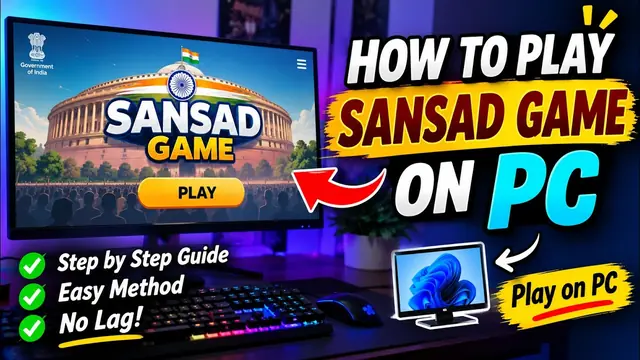
Open fightkaro.com, click the page so it has keyboard focus, then fight. On a phone, turn the device sideways. The touch stick sits on the left; Punch, Kick, Grab, and Super sit on the right.
PC keys
Hold the direction away from the opponent to block. Block is not its own key. Use jump to leave the ground and crouch for low attacks. Super (L or Space) only fires when the SHAKTI gauge is full.
| Action | PC | Phone | Status |
|---|---|---|---|
| Move | A/D or arrows | Stick | 1 source · official legend |
| Jump | W or Up | Up | 1 source · official legend |
| Crouch | S or Down | Down | 1 source · official legend |
| Block | Hold back | Hold back | 1 source · official legend |
| Punch | J | Punch | 1 source · official legend |
| Kick | K | Kick | 1 source · official legend |
| Grab | I or J+K | Grab | 1 source · official legend |
| Super | L or Space | Super | 1 source · official legend |
| Pause | Esc | — | 1 source · official legend |
| Music | M | Sound switch | 1 source · official legend |
| Mute | N | Mute icon | 1 source · official legend |
Specials and combos
Forward is toward the opponent. The legend prints three specials and six strings. A gameplay video ends on a card that copies this same list and labels it as coming from the official site, so I count one publisher, not two.
Menu keys, still from that legend: tap a face to pick yourself, then the CPU; Left/Right changes your fighter and Up/Down changes the CPU; T cycles the stage; 1/2/3 sets Easy/Normal/Hard; Enter starts the fight.
| Input | What the legend calls it | Status |
|---|---|---|
| Forward + J | Special | 1 source · official legend |
| Forward + K | Special | 1 source · official legend |
| Down + K | Sweep | 1 source · official legend |
| J, J, J | Combo | 1 source · official legend |
| J, J, K | Combo | 1 source · official legend |
| J, K, K | Combo | 1 source · official legend |
| K, K | Combo | 1 source · official legend |
| Down+J, J | Combo | 1 source · official legend |
| Down+J, K | Combo | 1 source · official legend |
SHAKTI
The gauge caps at 100. The launch build adds meter when you hit, when you are hit, and when you block. I am not printing the per-hit formula here because only that build states it. Spend a full gauge on L or Space. Each fighter has a named super; the names live on the character table.
If a key does nothing
These are general browser troubleshooting suggestions: click the game canvas first. Switch the keyboard to English so J, K, I, L are not swallowed by another input method. Leave fullscreen if Esc is opening the browser UI instead of pause. On a laptop, A/D or Left/Right move, while W/Up jumps and S/Down crouches; you do not need a numpad. There is no control-settings menu to reset.
Next: how a round works, or why there is no app.
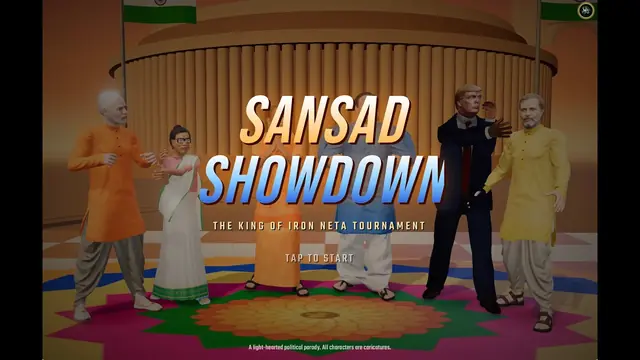
Questions
What are the controls for Fight Karo on PC?
A/D or arrows move, W jumps, S crouches, hold back to block, J punches, K kicks, I or J+K grabs, L or Space uses Super, Esc pauses.
Can I change the keybinds?
The public game page does not show a rebind menu. The legend is fixed.
How do phone controls work?
A stick moves you. Up jumps, down crouches, hold back blocks. Buttons are Punch, Kick, Grab, and Super when SHAKTI is full.
Sources
- Public game page (control legend) — checked 2026-11-04
- YouTube: VANSH LIVE yt PC session — checked 2026-11-04
- Deccan Herald launch report — checked 2026-11-04
Last updated . Unofficial fan guide and satire notice.